Settings
This page explains how the app stores its settings.
There are 3 different settings categories described in the following diagram:
Mixing Station Mixer independent Mixer dependent Global Settings UI Scale Autostart Connection settings Power configuration Channel strips Metring Themes Click behavior User settings Layers Layouts Midi RF Mixing Station Mixer independent Mixer dependent Global Settings UI Scale Autostart Connection settings Power configuration Channel strips Metring Themes Click behavior User settings Layers Layouts Midi RF The settings are recalled by the following logic:
Open app Load Global settings Load "default" User Settings for current mixer model yes "default" user settings entry for current mixer available? no Got Layout with "Open on startup" behavior? yes no Load "Open on startup" layout Got Layout with "Mixer override" behavior? yes no Load "Mixer override" layout Show regular mixer Open app Load Global settings Load "default" User Settings for current mixer model yes "default" user settings entry for current mixer available? no Got Layout with "Open on startup" behavior? yes no Load "Open on startup" layout Got Layout with "Mixer override" behavior? yes no Load "Mixer override" layout Show regular mixer Click one of the following links to find out more about
the different settings types:
Backup / Restore
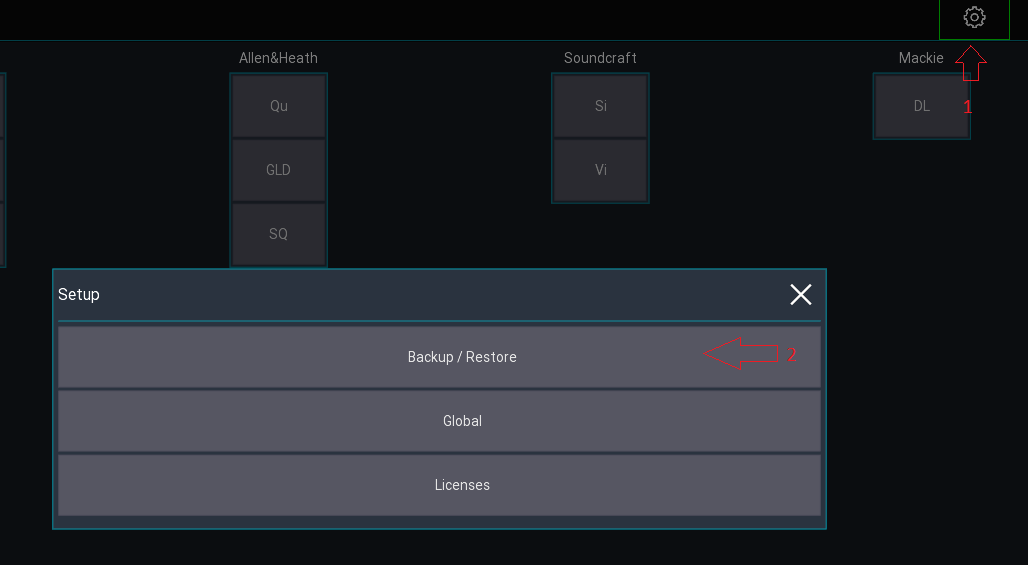
To create a backup of all settings, select the gear icon after starting the app, and
select Backup / Restore.
You can back up all your data to a local file, or your Mixing Station account.
Export / Import settings
See user settings