Layout Editor improvements
The layout editor of Mixing Station always was a bit clunky to use, especially on mobile devices. To improve the usability, I started implementing smart snap. Similar to other visual editors, like for example photoshop or PowerPoint, when dragging UI items around they will automatically snap into place based on the other UI items around them:
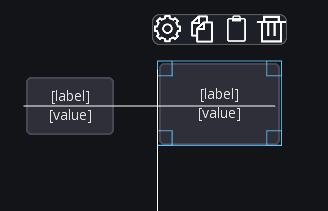
It also snaps into place using similar distances to other item as a reference, allowing you to quickly place items with equal margin between them.
This makes it very easy to quicky create layouts that look nice, and it's much easier than with the previous grid system.
Speaking of grid system: With the addition of smart snap, the previous grid system felt a bit out of place as it now lost its importance. Therefore, it has been removed from the main menu and placed into the layout settings popup:
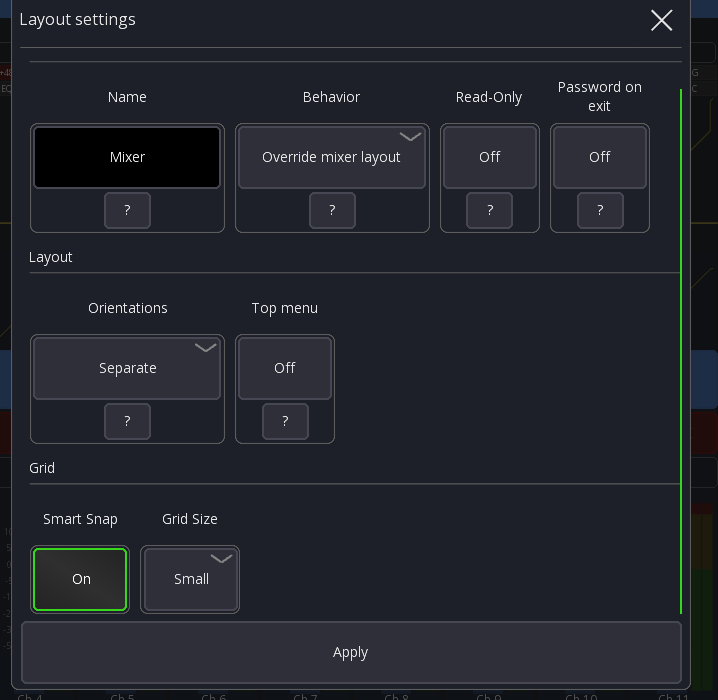
There you can also disable smart snap if you want.
The snap grid itself is now also much finer, but to avoid visual clutter the grid that you see on the screen is bigger.
Those changes will be tested in the beta and might be adjusted based on feedback.